Turn on the congregation page
Turn on the parish page that parishioners see.
The parish administrator
Screens captured from the MassCast demo world on 2026-11-14. Every name, address and number on the screens is invented. Prepared 15 November 2026.
Your parish can have a public page with its Mass times, which a pew card’s QR code opens. It is off until you turn it on.
Before you start
- An administrator account. Other staff can see this page but not change it.
Steps
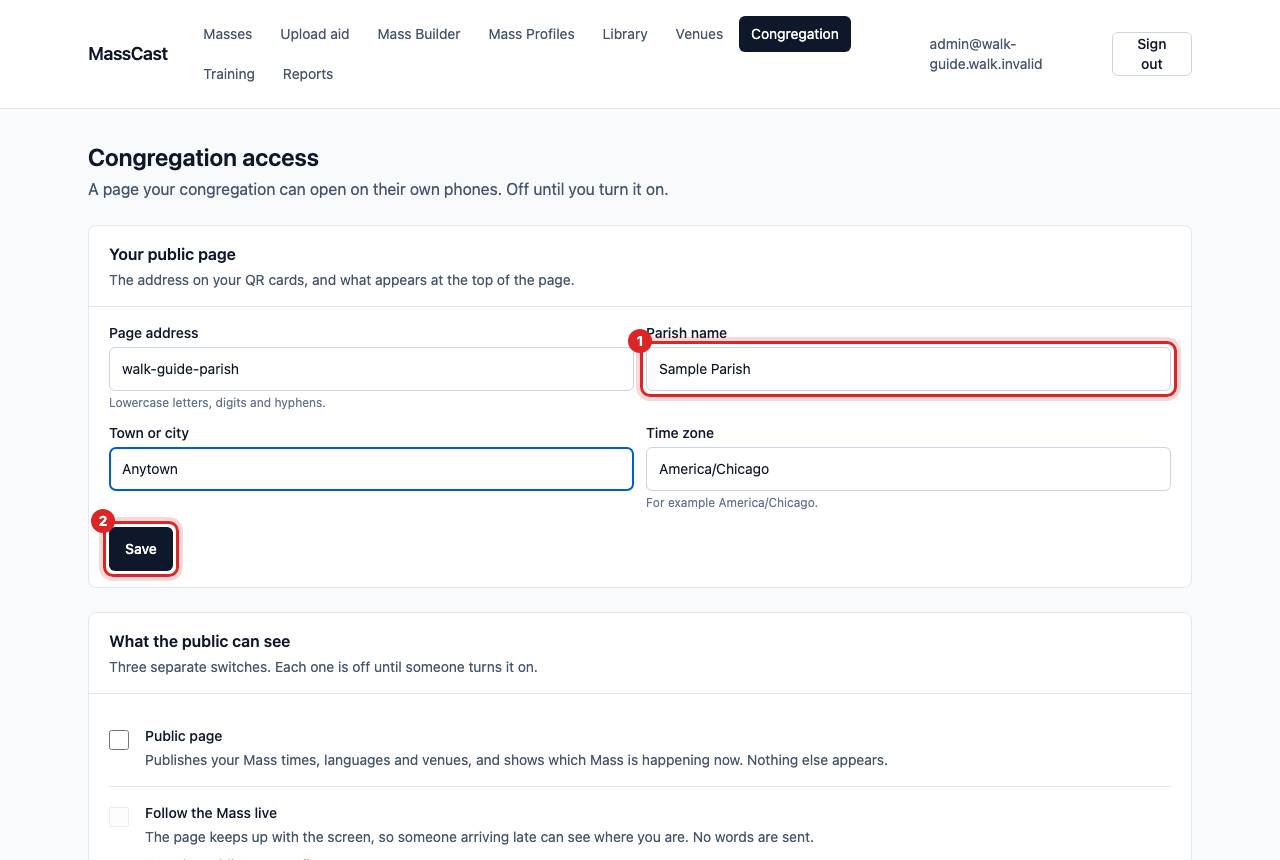
1. Fill in your public page details
Parish administrator
- Choose Congregation in the menu.
- Under Your public page, check the Page address, the Parish name, the Town or city and the Time zone.
- Press Save.
Tip: Only a parish administrator can change this page. Other staff see it read-only.
2. Turn on the public page
Parish administrator
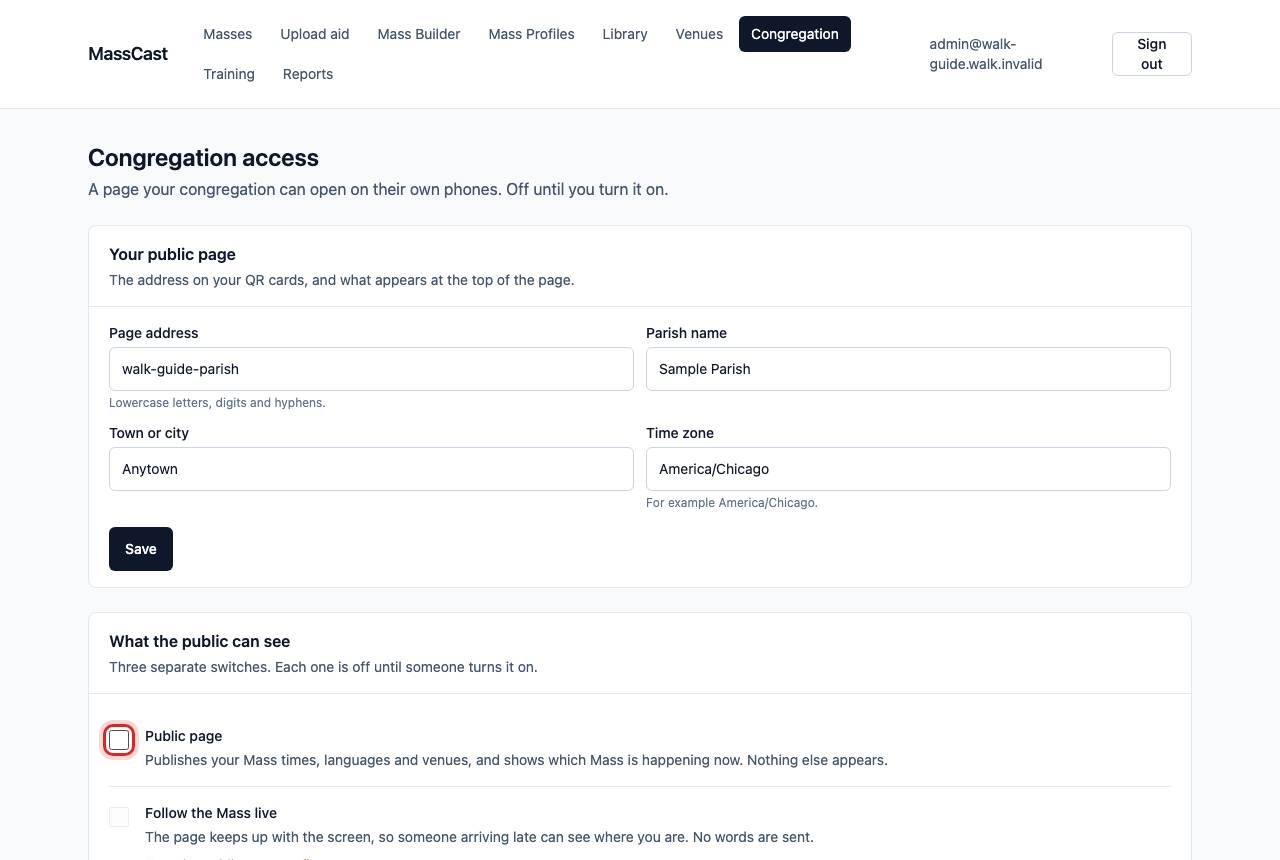
- Under What the public can see, tick Public page. It lists your Mass times, languages and rooms, and shows which Mass is happening now. Nothing else appears.
- The switch saves as soon as you tick it. Untick it at any time to take the page down at once.
Tip: Follow the Mass live and Send the words to phones say Not available yet or ask for a confirmation first. Leave them off.
3. Check the preview and print the pew card
Parish administrator
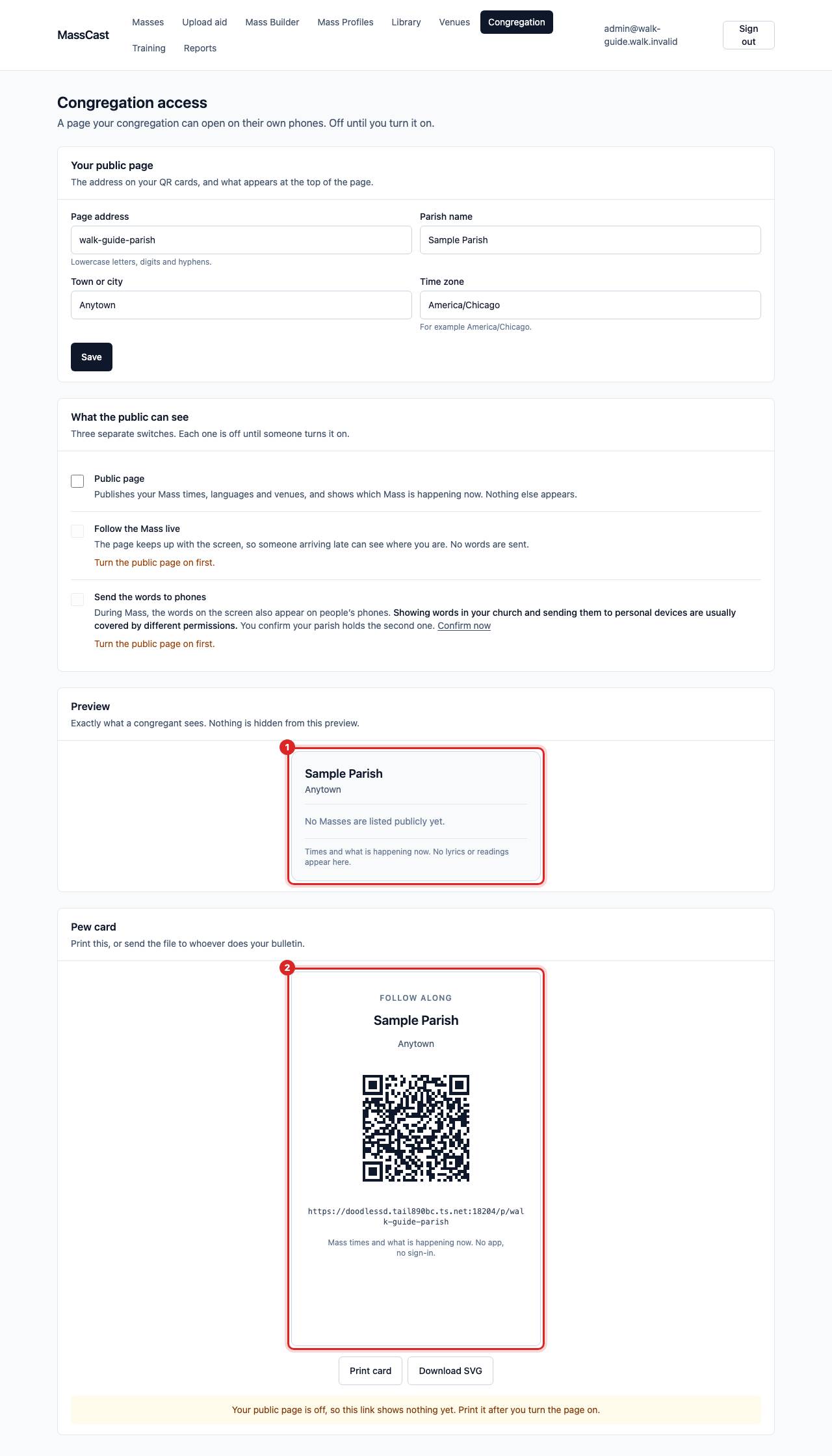
- The Preview shows exactly what a congregant sees.
- Under Pew card, press Print card, or Download SVG to send to whoever makes your bulletin. The QR code opens your public page.
If something looks wrong
- To take the page down, untick Public page. It goes at once, and anyone can do this.
- Follow the Mass live is not available to parishes yet. It says so on the page.
The pictures were taken automatically on 2026-11-14 from a test parish with sample wording. Your screens show your own parish and your own words.