See Mass times on your phone
What a parishioner sees when they scan the pew card.
Who this guide is for
Parishioners and visitors
Screens captured from the MassCast demo world on 2026-11-14. Every name, address and number on the screens is invented. Prepared 15 November 2026.
Scan the QR code on the pew card to see the parish’s Mass times, and which Mass is happening now.
Before you start
- A phone with a camera and a web browser.
Steps
1. Open the parish page
Congregant
- Point your phone’s camera at the QR code on the pew card, and open the link.
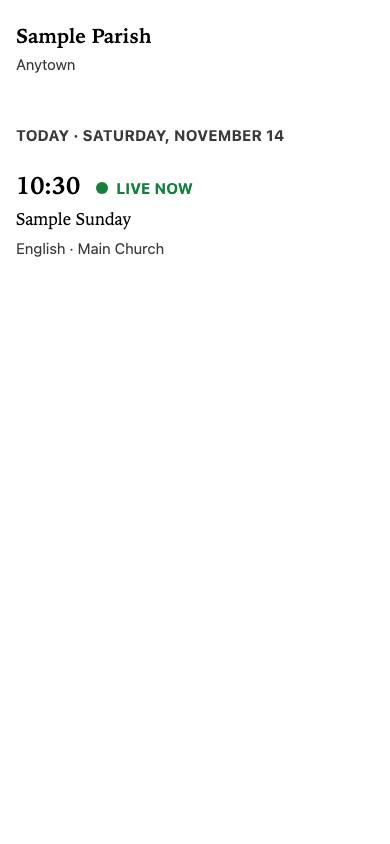
- You see the parish’s Mass times, in the parish’s own time zone.

2. See which Mass is happening now
Congregant
- Open the page again, or pull down to refresh it, once Mass has begun.
- The Mass that is under way is marked as happening now.
Tip: Following each part of the Mass on your phone is not switched on for parishes yet.
If something looks wrong
- If the page says no Masses are listed, the parish has not published its times yet. The parish office has them.
The pictures were taken automatically on 2026-11-14 from a test parish with sample wording. Your screens show your own parish and your own words.