Upload a worship aid
Upload a worship aid and let MassCast read it into cues.
Who this guide is for
Preparers
Screens captured from the MassCast demo world on 2026-11-14. Every name, address and number on the screens is invented. Prepared 15 November 2026.
Give MassCast this week’s worship aid PDF. It reads the aid and makes the cues for you to review.
Before you start
- The worship aid as a PDF, one per Mass.
- Your parish’s licence details (for example your OneLicense number).
Steps
1. Choose the worship aid and its licence
Preparer
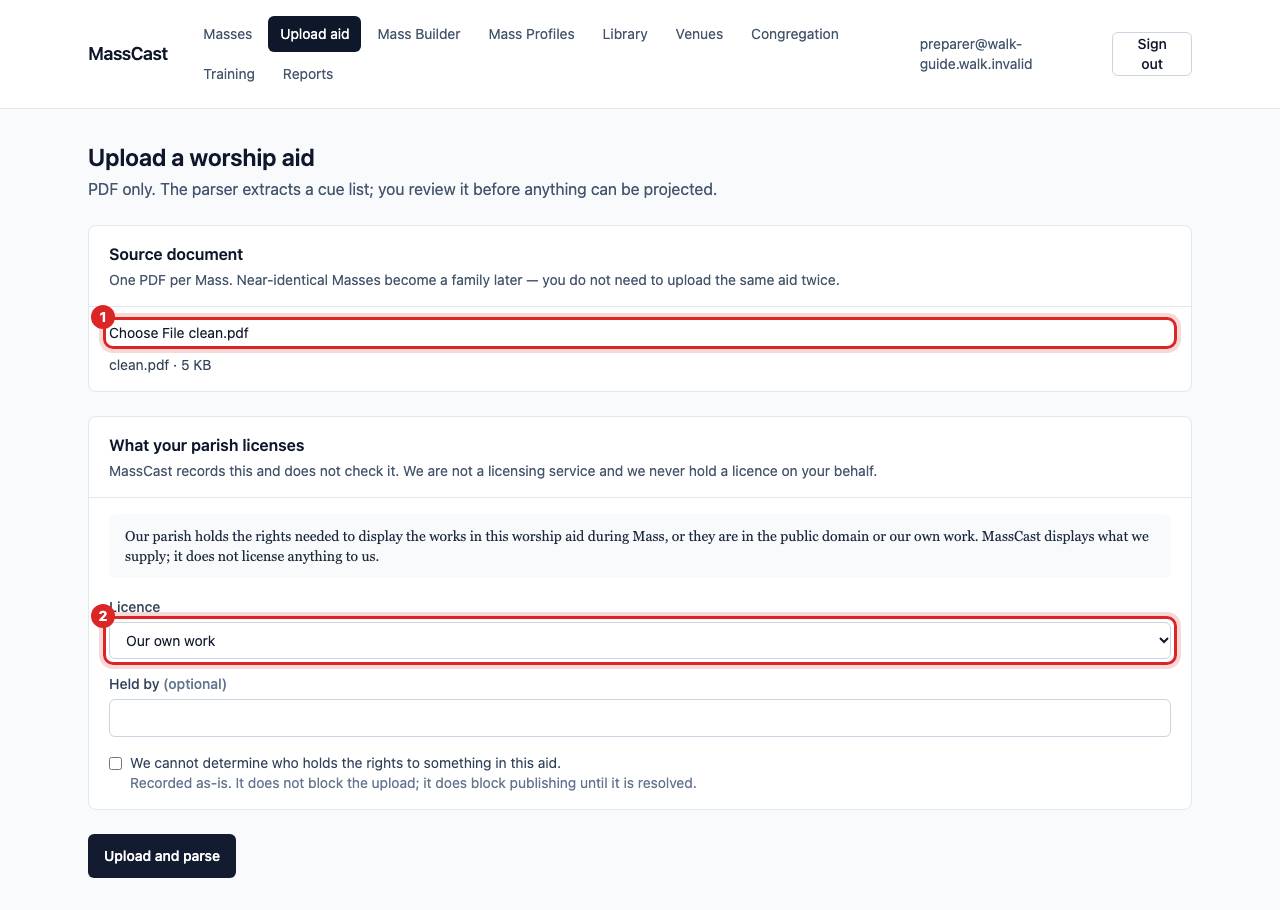
- Choose Upload aid in the menu.
- Under Source document, choose the PDF of this Mass’s worship aid. One PDF per Mass.
- Under What your parish licenses, read the statement and choose your Licence, then the licence number.
- If you cannot tell who holds the rights to something in the aid, tick that box. It does not stop the upload, but the Mass cannot be published until it is sorted out.
2. Wait while MassCast reads the aid
Preparer
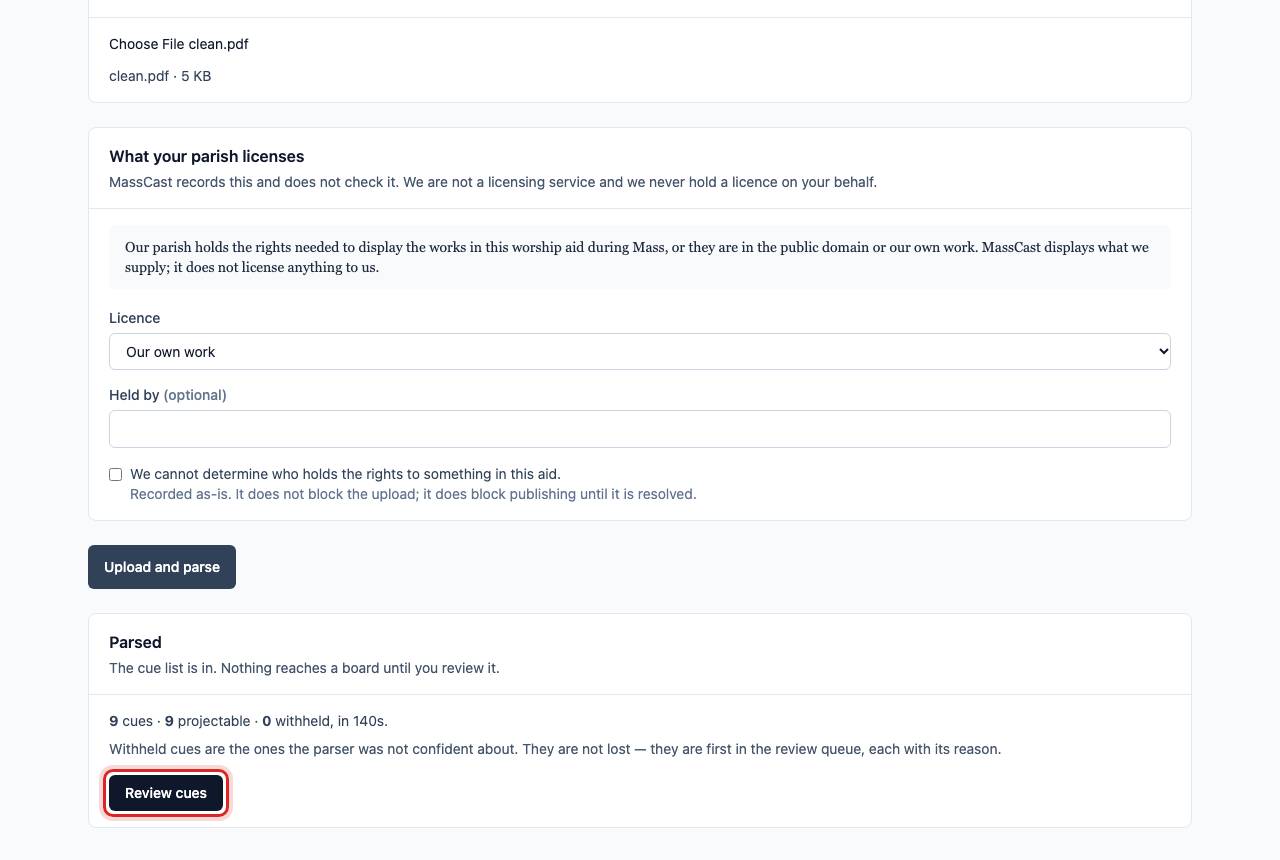
- Press Upload and parse. MassCast reads the PDF in the background; you can leave the page and come back.
- When it is done, it says how many cues it found, how many will project, and how many it held back.
You should see: A Parsed panel with a Review cues button.
Tip: Nothing reaches a wall until you review and release it.
3. Review what MassCast found
Preparer
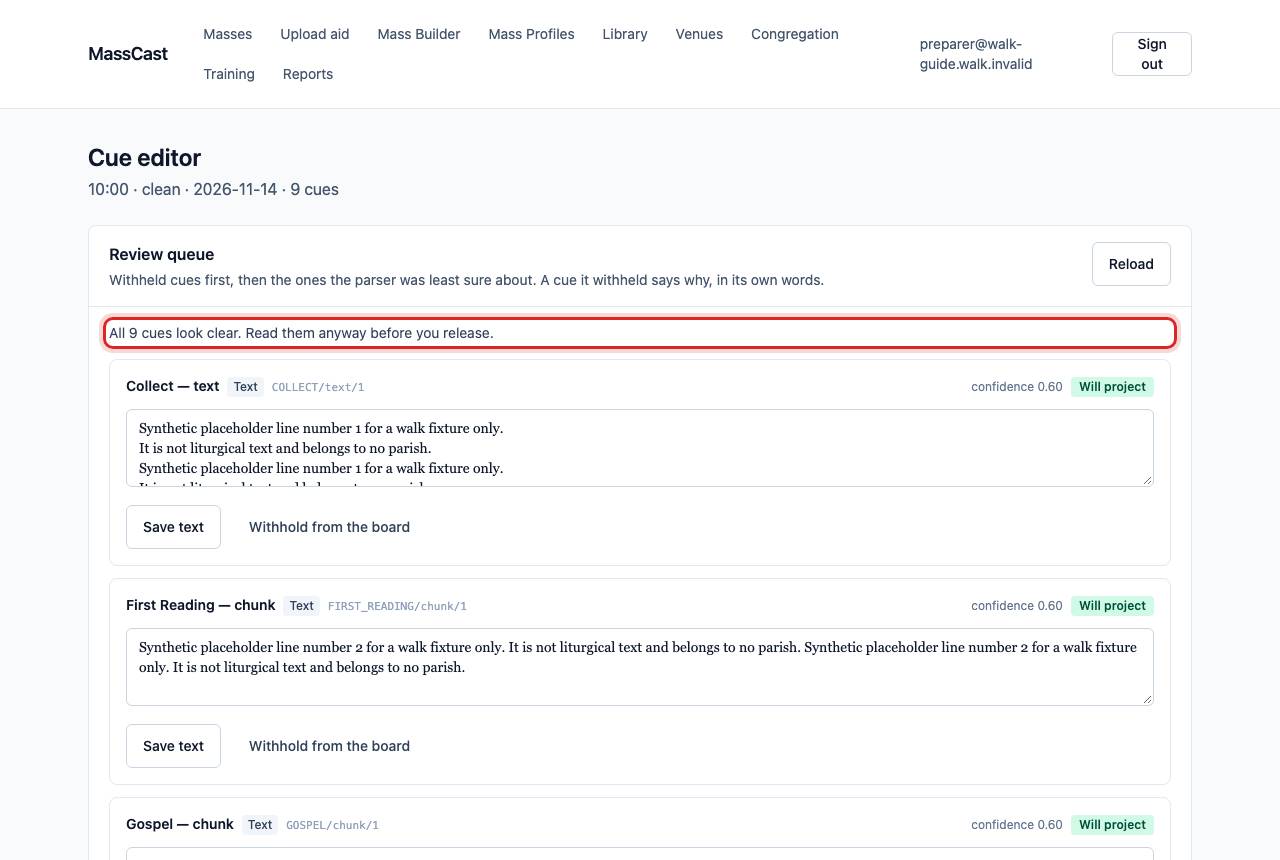
- Press Review cues. The cue editor opens on the Mass MassCast made from the aid.
- Check the list against the printed aid, then release and publish it. The guide “Review, release and publish a Mass” walks through that.
You should see: The cues in order. If MassCast could not find a required part, a note above the list names it.
If something looks wrong
- Reading the aid usually takes under a minute. If the page says it is still parsing, wait; nothing is lost if you leave the page.
- If MassCast says it could not find a part of the Mass, check the printed aid. A scanned page or an unusual layout is the usual reason.
The pictures were taken automatically on 2026-11-14 from a test parish with sample wording. Your screens show your own parish and your own words.